> For the complete documentation index, see [llms.txt](https://cryptoquote.gitbook.io/cryptoquote/llms.txt). Markdown versions of documentation pages are available by appending `.md` to page URLs; this page is available as [Markdown](https://cryptoquote.gitbook.io/cryptoquote/apis/analytics-apis/markets/range-up-down.md).
# Range Up / Down
**Description**
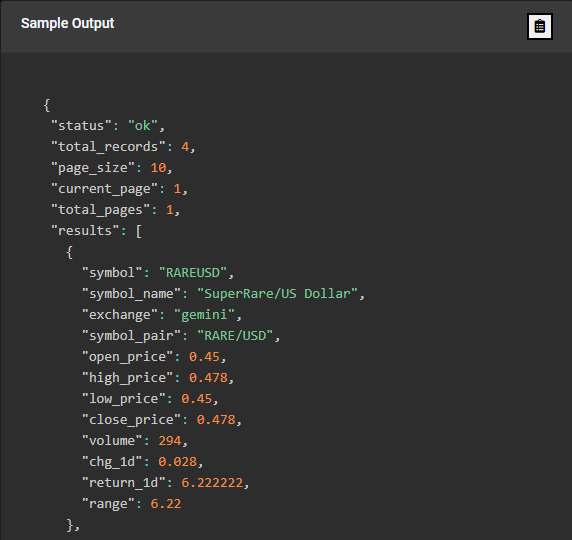
Range Up / Down API ranks securities by the highest range up or down. This shows the difference between the highest and lowest prices of an asset over a given period of time. The range can be a useful tool for identifying potential support and resistance levels, as well as for setting entry and exit points for trades. You may also use the range to help determine the overall volatility of an asset.
Range Up is a situation where the difference between the highest and lowest prices of a security over a given period of time becomes larger vice versa for Range Down. If the range of an asset over the past week was $10 and the range over the past month was $50, the range has increased over the past month. An increase in the range can be a sign of increased volatility in the market or in the asset being traded. It can also indicate that there is a greater degree of uncertainty or indecision among market participants. You can use an increase in the range as a signal to adjust strategies.
* Exchanges
* Range Direction
* Up
* Down
* Limit Records
{% embed url="" %}
**End Point**
**Example**
Show Top 10 securities with Range UP direction on Gemini cryptocurrency exchange
**Use Cases**
**Active Trader:**
* Identify securities with the highest Range UP or DOWN.
**Exchange or Brokerage**
* Personalize your client engagement by issuing an alert when a security in a client’s watchlist or portfolio is included in the returned results
## [Click here for a Free API key](https://www.cryptoquote.io/register) then [**Test the API yourself!**](https://www.cryptoquote.io/api_doc?code=range_up_down\&page=api_analytics)